Showing posts with label Word Clouds. Show all posts

Monday, November 20, 2017

Word Clouds Made Easy

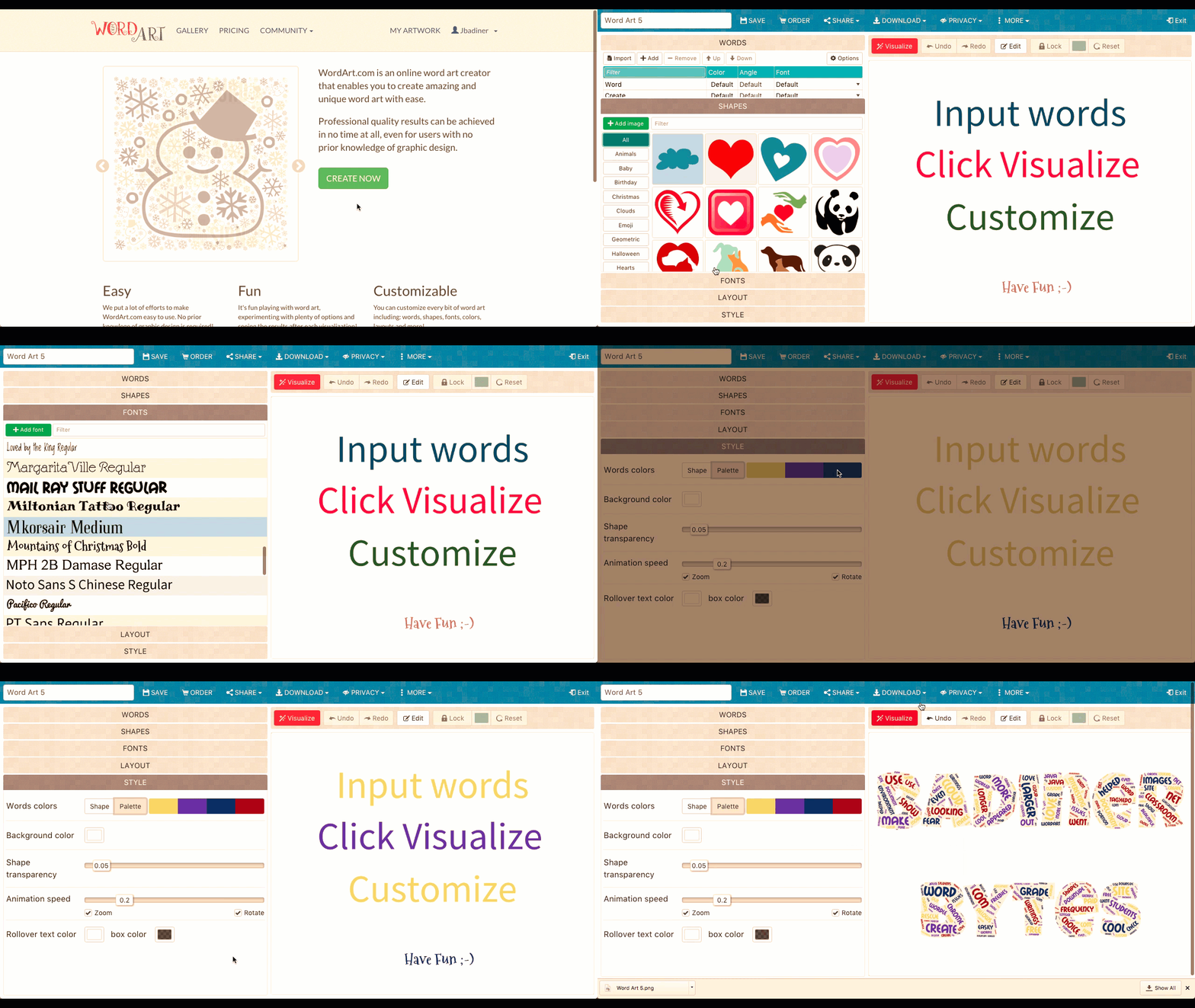
I love word clouds. I used them often in my elementary classrooms, and not just to make cool looking images. I had students create a word cloud with every document they created to show frequency of words: the more often a word is used the larger it appeared. This helped them with word choice and creating interesting writing. The downside was when we went to 100% Chrome environment. Sites like Wordle.net and Tagxedo.com no longer worked (Java issues). But have no fear….WordArt.com to the rescue. This site allows you to create beautiful word clouds (even with custom shapes) for FREE. There is a paid portion, but a classroom can easily just use the freebies! Check out how to get started below.


Create Word Art:

  1. Go to wordart.com.
  2. You can create an account (allows you to save work and edit later) or just use the free (not signed in but can still create).
  3. Click “Create”.

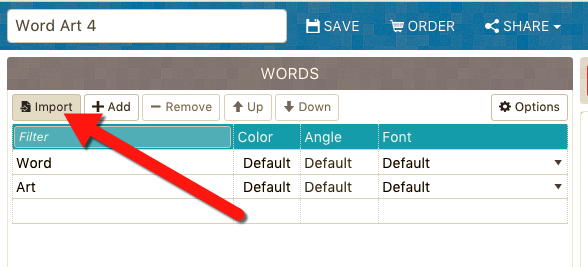
  1. Copy and paste your text you want to create with and click “Import”.
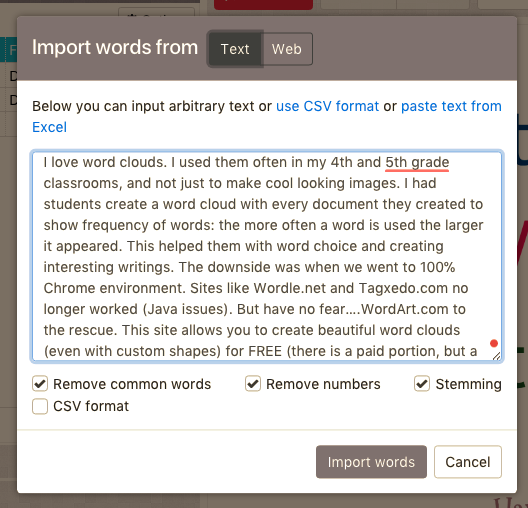
  1. Paste your text into the box and click “Import Words”.
  1. Get creating with “Shapes, Fonts, Layout, and Style”.
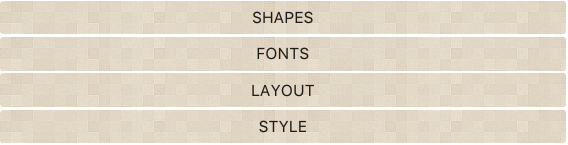
  • Shapes: There are presets, but you can upload any image you have as well
  • Fonts: Get creative and choose one that fits your desired image
  • Layout: How do you want the text facing?
  • Style: Color of words

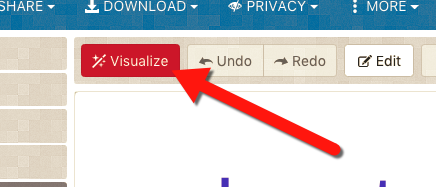
  1. When you are ready click “Visualize” and your word cloud will be created.
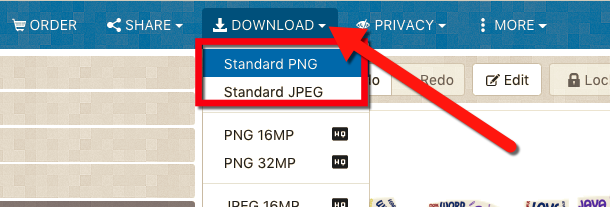
  1. To save this click “Download” and choose “Standards PNG or JPEG”. The standard versions (plenty good for any student’s project) is free while the “HQ” images are paid.
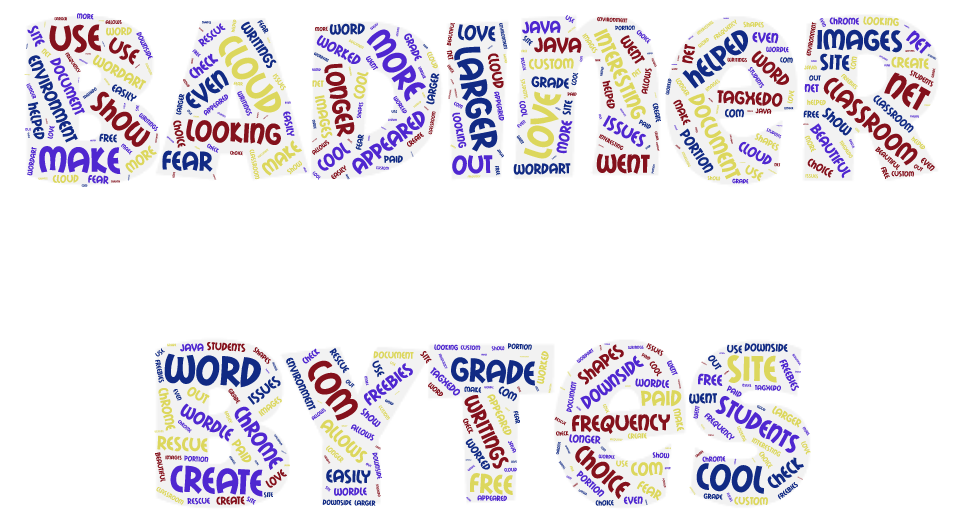
  1. Add this awesome creation to any project!


If you want these directions in a Document Click Here!

Friday, December 6, 2013

Tagxedo: A Shapely Word Cloud

Word Clouds are fun tools. There are a few out there (Wordle and Tagxedo are my 2 of choice). This post will focus on Taxedo.  This is a lot like Wordle, but it allows users to create shapes with the words. There are pre-set choices to pick from, and it even allows users to upload their own images. Word of warning, images should be pretty identifiable by their shape and not shading or color tone. Basic outline shapes work best. This is a great tool to take poetry and other writing to a more visual level. Below are a couple that I made from class newsletters, policies, and Tech Coach descriptors. 


Check it out at www.tagxedo.com!


Thursday, December 5, 2013

Wordle: More than Just a Pretty Word Cloud

Screen Shot 2013-11-23 at 9.55.30 AM
Word Clouds are fun tools. There are a few out there (Wordle and Tagxedo are my 2 of choice). This post will focus on Wordle. I use it every 2 weeks in my classroom when we change seats. New groups make a Wordle to show what they like and have in common and these hang above their group of desks. Another great use is writing. Before a student can submit a final draft of a writing to me, they must copy and paste it into Wordle. Then they can make sure that they have not over used any words. Wordle will make the word font larger depending on its frequency. If they have very large words in their Wordle, they go back into their document and choose better words. This is an very easy visual check to see that they have varied word choice in writing.


Check out the fun at www.wordle.net