Showing posts with label Common Sense Media. Show all posts

Monday, March 30, 2015

Common Sense Media’s Digital Passport

Digital Citizenship is important to teach at all grade levels. With the abundance of apps, web sites, and other communication tools that all students are exposed to on a daily basis, educators need to prepare students to make safe online decisions. The best way is to have students learn how and why it is important to be safe online, and receive these lessons over and over again. The issue is finding a way that holds students' attention and presents the message to them in a way that they can retain it. There are many web sites and tools to help teach students about online safety, but in my opinion none are as easy as Common Sense Media’s Digital Passport. This is a great program for 3rd-5th graders to learn the basics of online safety. Here are steps to get started!


Create Your Digital Passport Teacher Account:
  1. Go to www.DigitalPassport.org in your browser.
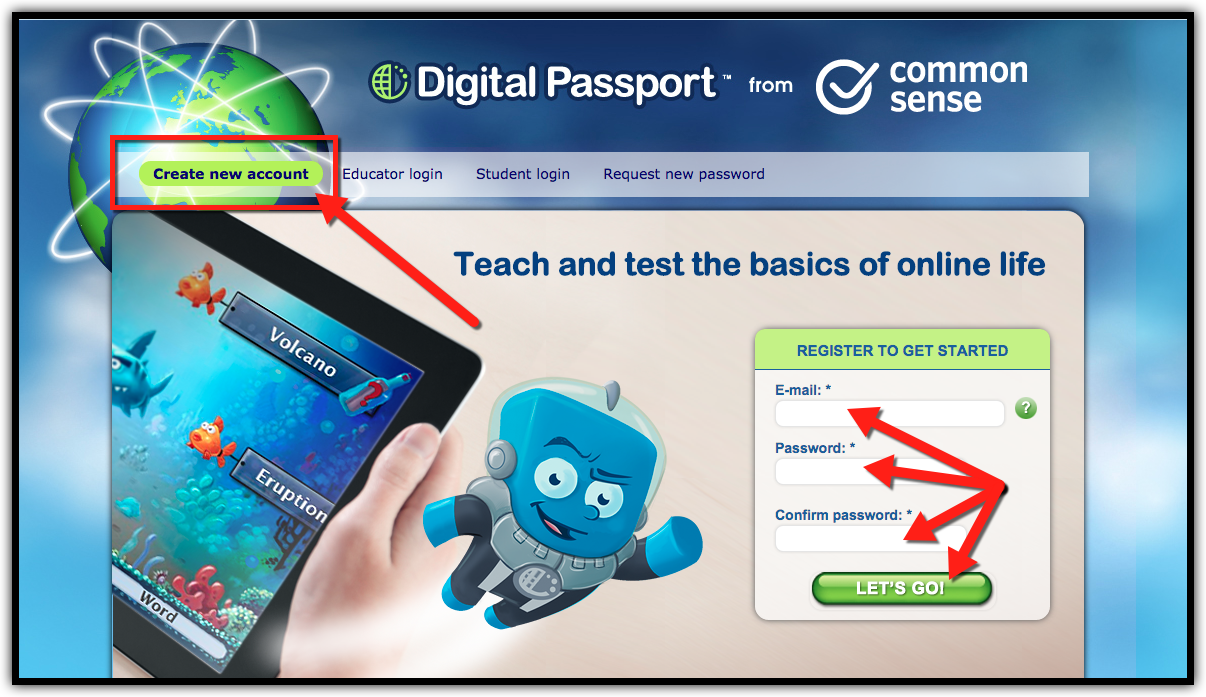
  2. Click on “Register”.
  3. Fill in the required information to create your account.


Create Groups (Classes) in Your Teacher Account:
  1. Go to www.DigitalPassport.org in your browser.
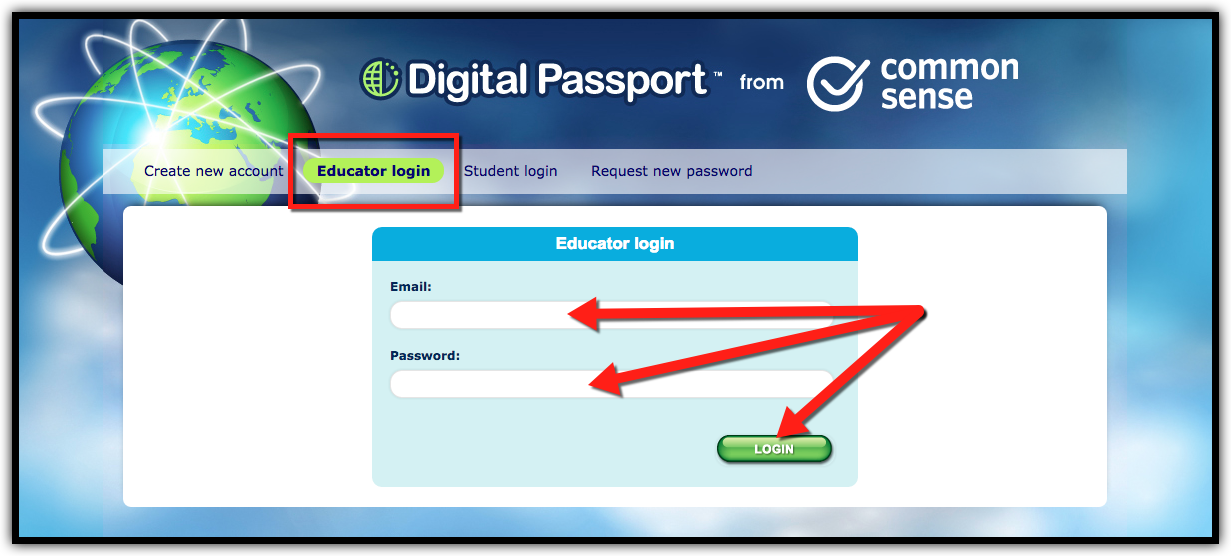
  2. Click on “Educator Login” and sign in with your account email and password.


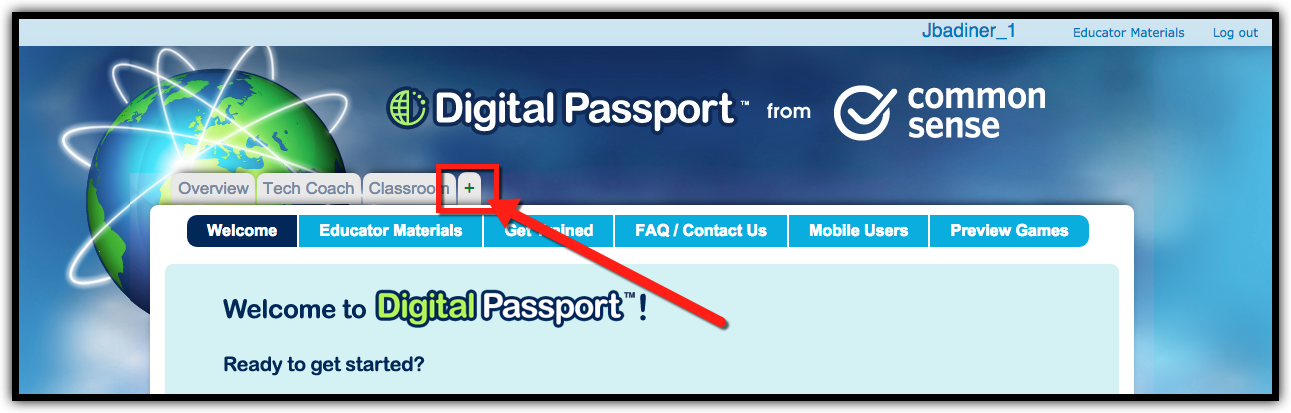
  1. Click the “+” tab to create a new class.


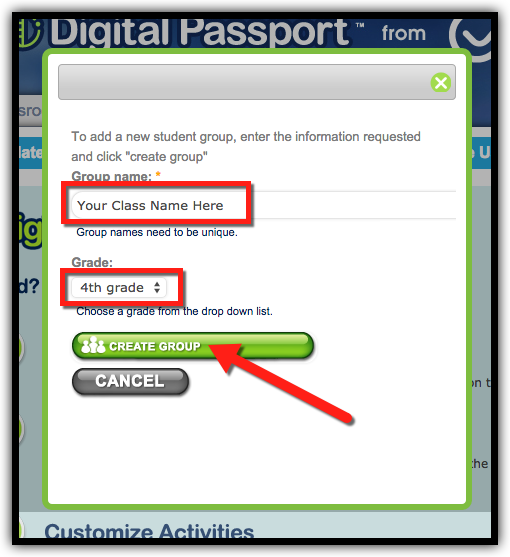
  1. Type in the group name and select the grade level, then click “Create Group”.


Add Students to Your Classes:
  1. Go to www.DigitalPassport.org in your browser.
  2. Click on the class tab that you created.
  3. Click on “Manage Group”.
  4. If you are entering 1 student at a time, click on “Add New Student”. If you are uploading your entire class, click on “Import Names From A File”. I created a CSV file that can be downloaded and edited by clicking here.
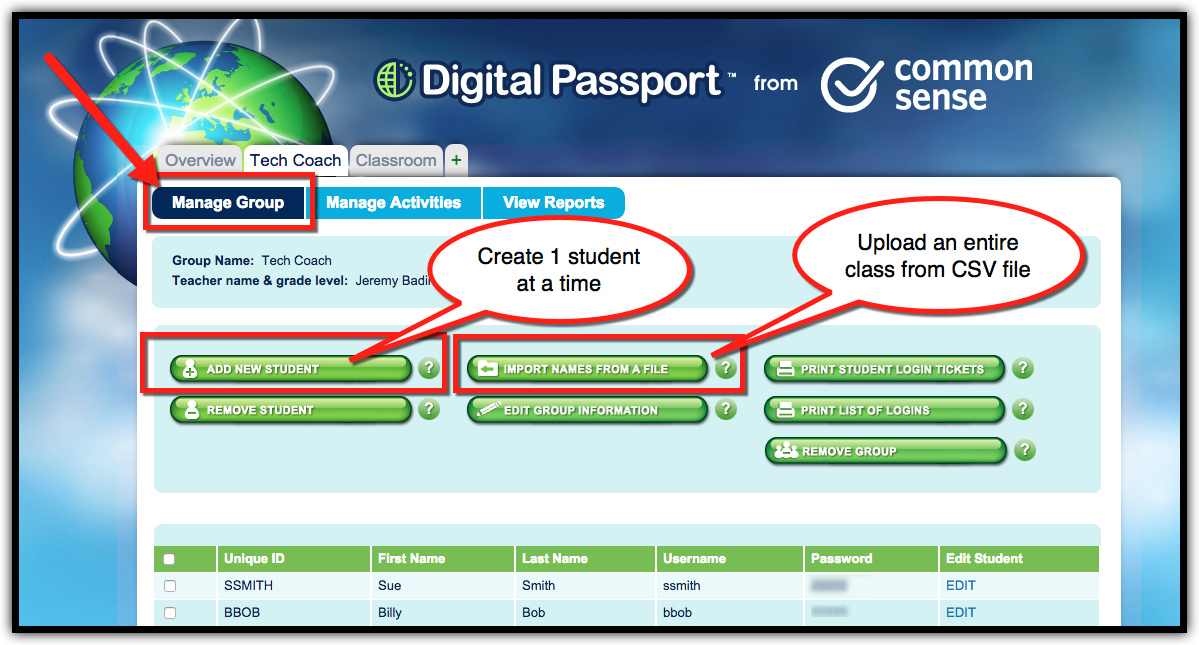


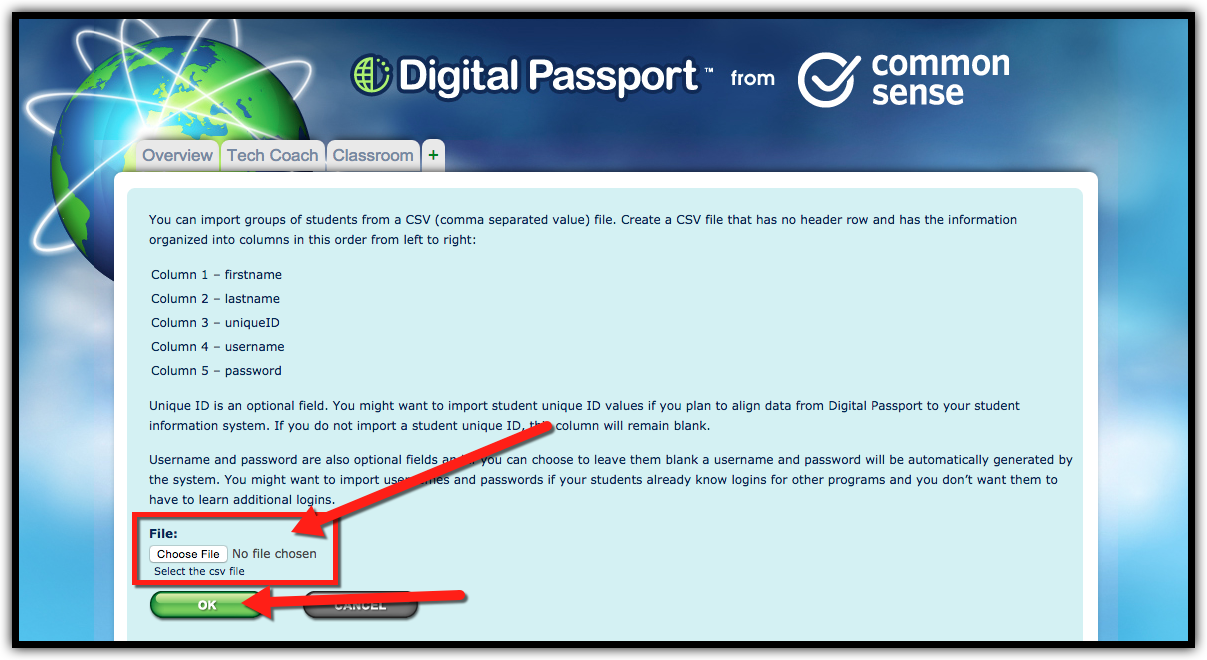
  1. After editing the CSV file and saving it, click “Choose File” and then “OK” to upload your CSV.


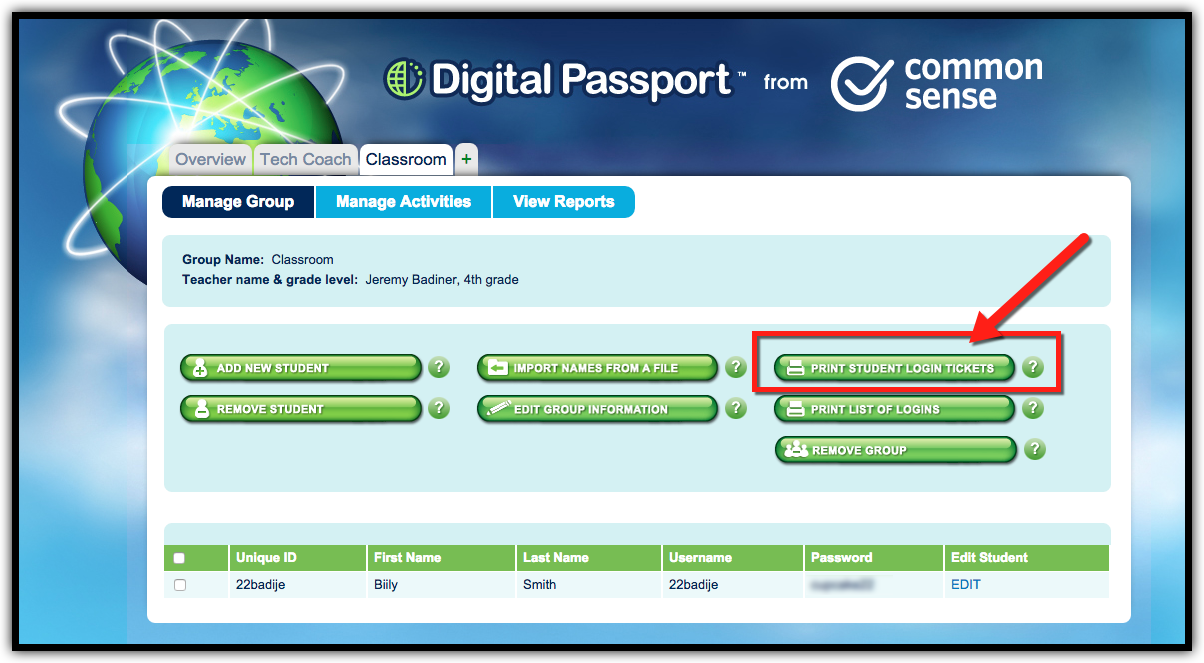
  1. You will see all your students listed on the screen. Click on “Print Student Login Tickets” to give students their login information.


  1. From the view reports tab you can view reports and student progress, as well as print certificates.


Preview Activities and Have Students Begin Activities:
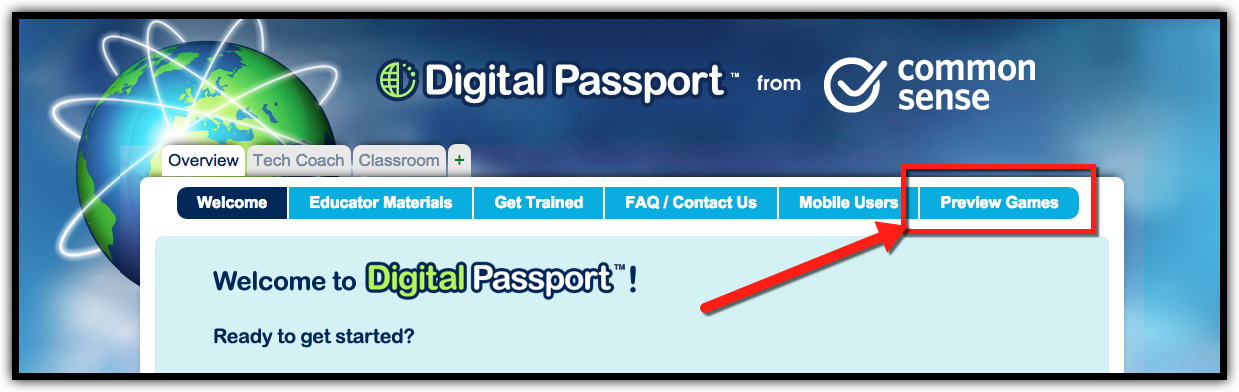
  1. Click on “Overview”.
  2. Click on “Preview Games”.


  1. This is a list of all the activities the students will do when they log in. I only let them do what we have talked about in class (they can’t progress ahead), but that is up to you.
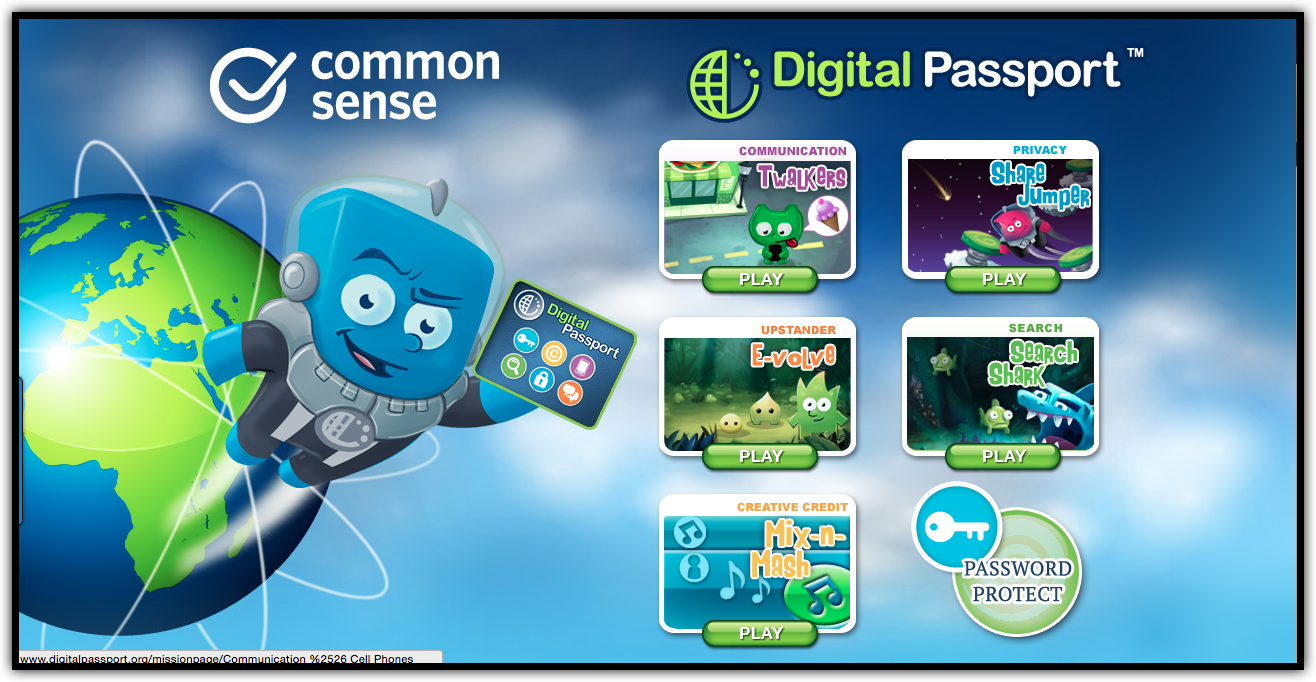


  1. You could do these lessons many ways, but here are my suggestions:


Easy: Let the students progress at their own pace knowing that they have to complete all activities on their own.


Medium: Do one activity each session where the students do the activity at their own pace. Early finishers can replay any completed activity, but not go ahead.


Best: Discuss the concept with the whole class. Introduce the game and have the students do the activity at their own pace. Early finishers can replay any completed activity, but not go ahead. Review what was learned after everyone has finished.


  1. Students need to login on the “Student Login” tab with the accounts you created.



If you want these directions in a document, click here!


Tuesday, August 12, 2014

Common Sense Media GoPro Winner!

We all want to be a winner, but I can honestly say I usually am not the one who gets the prizes. Well, that all changed a couple weeks ago. Last year I started using Common Sense Media's Digital Passport program with some of the 3rd - 5th graders at Ryan Intermediate (this year all students will be using this resource). I also applied to be a Common Sense Certified Educator: Digital Citizenship (which I was awarded...Whoot!). In doing this I saw that I was entered into a drawing for a GoPro camera. To be honest, these drawings never really mean much to me as I never (and when I say never...I really mean NEVER) win anything. Well...that has all changed. I received an email a couple weeks ago that I had in fact won. Me! A winner! What!?!?!? I had to read the email a few times to really let it sink in!


I was Shocked! I was Excited! I was a WINNER! 


So...what did I get? Here is the "unboxing" of my GoPro Hero3+ Silver!

Yep...Here is was at school...Just waiting for me!


Ooooooohhhh...New Toy!


Look at all the Goodies!


And the star attraction...My very own GoPro!


All the fun together!


Now the Fun Begins!
Once it was unboxed I took it to a few pools with my boys. Here are a couple pics and a video of our fun!


So, What is Next?
I can't wait to strap this thing to some students this year during the Ryan Rally (school's fund raiser), whole school assemblies, field trips, special class activities, and of course all the fun things at home. I can not say thank you enough to Common Sense Media and GoPro! You have turned this "Never a Winner" into a Winner!